






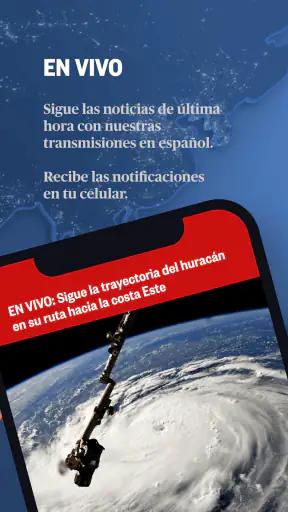



When I want Spanish-language news that I can check quickly rather than follow through a long television segment, Noticias Telemundo is one of the more practical apps I reach for. It belongs to the News & Magazines category, is free to use, and comes from NBCUniversal Media, LLC. The focus is clear: live and breaking news from Noticias Telemundo, presented for people who prefer getting updates on a phone.
My overall impression is positive, but it is not based only on the attractive average rating of 4.5 from around 8,600 ratings. What matters more in daily use is whether an app helps me understand what is happening without making me fight through menus, excessive distractions, or unclear controls. This one works best as a quick-access news companion. I can open it during a commute, scan the main developments, and decide which story deserves more of my attention.
That convenience comes with an important distinction. I would not treat it as my only source for every major event. A television news app can be excellent for fast awareness while still benefiting from comparison with official statements, local reporting, or another established newsroom when the subject is especially serious. With that expectation, Noticias Telemundo feels useful and approachable rather than overcomplicated.
How the app fits into everyday news habits
A focused Spanish-language starting point
The strongest reason to install this app is its editorial focus. If I already follow Noticias Telemundo or prefer consuming news in Spanish, the app gives me a direct place to begin instead of searching through a general news aggregator. That matters when time is limited: I am not sorting through unrelated technology, sports, business, and entertainment headlines before reaching the subjects I actually came to see.
I find this especially helpful in the morning. Rather than opening several social networks and letting their timelines decide what I see, I can check the app first for the main developments. That creates a calmer routine: scan the leading stories, open the ones relevant to my region or interests, and leave the rest for later. It is a small workflow, but it reduces the chance that a dramatic post without context becomes my first impression of the day.
The app also makes sense for readers who want a familiar Spanish-language news source while traveling or living away from the communities they usually follow. Someone with family in another country may use it to keep an eye on broader developments, while a bilingual reader may prefer it for stories whose context is easier to absorb in Spanish. I would not describe it as a universal replacement for local newspapers, but it can be a convenient first screen.
What the audience size tells me—and what it does not
Noticias Telemundo has passed one million installs, and its presence is clearly established rather than experimental. The current version is 3.2.9, while the app has been available since November 6, 2015. Those details suggest a product with a long operating history and a substantial audience, but they do not automatically guarantee that every reader will enjoy the same experience.
I pay attention to how an app behaves on my own device, especially when news is moving quickly. A large user base can indicate that the basic idea is useful, yet the real test is whether navigation remains understandable when I open the app in a hurry. For me, the app succeeds when I use it as a focused news window, not when I expect it to organize every source, topic, and alert in my media life.
Where it compares well with alternatives
Compared with a social media feed, Noticias Telemundo gives me a more deliberate starting point. Social platforms are useful for discovering eyewitness material and local reactions, but they can mix confirmed reporting with commentary, old posts, and content selected mainly for engagement. I prefer using this app first, then checking social networks only when I need additional perspective.
Compared with a general aggregator, the advantage is identity. An aggregator can offer more breadth, but it may also flatten the difference between a carefully edited report and a lightly sourced item. Here, the Noticias Telemundo connection gives the experience a clearer editorial home. The trade-off is that readers who want many competing publications in one screen may find a dedicated newsroom app narrower.
Compared with watching a full television newscast, the phone format is more flexible. I can read or watch only the story that interests me instead of waiting for a segment. On the other hand, a broadcast can provide a broader narrative flow and more visible transitions between topics. I see this app as better for on-demand checking, while television remains useful when I want a complete news block in one sitting.
Trust begins with visible choices
News apps ask for a particular kind of trust. I am not only deciding whether the reporting is useful; I am also deciding whether I am comfortable with the way the app behaves on my phone. I look for clear choices when the app requests access, understandable account controls, and enough transparency to make an informed decision instead of accepting everything automatically.
My cautious approach is simple: I review each permission prompt when it appears, grant only what matches a feature I intend to use, and revisit device settings if I change my mind. I do not assume that a news app needs unlimited access to my phone just because it delivers headlines. The right choice depends on the specific function being offered and on my own comfort level.
This is also why I avoid treating a familiar media brand as a substitute for reading privacy explanations. Brand recognition may help me identify the publisher, but it does not answer every question about account management, notifications, or data handling. I want those choices to remain visible and adjustable rather than hidden behind a one-time setup screen.
Permissions, data practices, and account control
When I assess Noticias Telemundo, I separate what I can actively control from what I merely assume. I can manage the app through the operating system’s permission settings, including changing access after installation. I can also decide whether notifications fit my routine. If breaking alerts interrupt work or sleep, turning them down or off is a reasonable part of using the app, not a failure to engage with the news.
I would also read the app’s current privacy and account information before creating or connecting an account. The practical questions are straightforward: What information is requested during registration? Can an account be managed or removed without unnecessary friction? Which settings control personalization or notifications? I prefer answering those questions before I build the app into my daily routine.
That discipline is useful because news consumption can reveal sensitive interests. Even a simple pattern of opened stories may say something about a person’s concerns, location, family, or political attention. I do not assume that every visible headline is harmless from a privacy perspective. I check the choices presented by the app and the phone, and I avoid granting access that does not serve a clear purpose.
Handling breaking news without losing judgment
The phrase “breaking news” can be helpful and stressful at the same time. When a major event develops, timely alerts may be exactly what I need. But rapid updates can also encourage me to react before the facts are settled. My preferred workflow is to open the report, read beyond the first line, check its timestamp, and return later if the situation is still changing.
This is one of the app’s most important trade-offs. A dedicated news source can help me avoid the noise of a social feed, yet no fast-moving report should be treated as the final word while events are unfolding. For emergencies, public safety instructions from official authorities should take priority over any media app. For political, legal, or financial stories, I prefer comparing the report with primary documents or another reputable source before making a consequential decision.
I also try not to leave every alert category active. A better setup is to keep notifications for the subjects I genuinely need to follow and silence the rest. This preserves the app’s usefulness without turning my phone into a constant stream of interruptions. The best alert system is not the loudest one; it is the one that helps me notice important developments while leaving room to think.
A realistic daily scenario
Imagine that I have fifteen minutes before work and want to know whether anything important happened overnight. I open Noticias Telemundo, scan the leading coverage, and choose one story connected to my area. I read enough to understand the basic facts, note whether the report is developing, and save the broader questions for a later check. If the story affects travel, school, or public safety, I then look for the relevant official notice rather than relying on the app alone.
At lunch, I might return to see whether the same story has changed. This second visit is more useful than repeatedly refreshing every few minutes because it gives the newsroom time to add context. In the evening, I can compare the app’s coverage with local reporting or a primary source. That routine uses Noticias Telemundo for speed and accessibility without asking it to perform the job of every other information source.
For a Spanish-speaking household, the app could also become a shared conversation starter. One person may see a headline and explain it to another family member, while a younger reader uses the phone to follow a developing subject. The content rating is Everyone 10+, which makes the intended audience broad, but I would still guide younger readers through difficult stories and help them distinguish reporting from speculation.
Small habits that make the experience better
My first useful tip is to read the full context of a headline before sharing it. Headlines need to attract attention, and a short title cannot carry every qualification. Opening the article or report can reveal whether the information is confirmed, developing, localized, or based on an official statement. This simple pause is more valuable than forwarding a dramatic line immediately.
My second tip is to use the app as a checkpoint rather than a background soundtrack. If I leave news running continuously, I absorb fragments without remembering the details. A short session with one or two carefully chosen stories gives me a better understanding than constant switching. The app’s convenience makes this focused approach easy, especially when I am checking news between other tasks.
My third tip is to review notification and permission choices after I have used the app for a few days. Initial setup decisions are often made quickly, before I know how frequently alerts arrive or which functions I actually use. Once I understand my routine, I can reduce interruptions and remove access that no longer feels necessary. This is a practical way to keep control without abandoning the app.
My fourth tip is to distinguish national coverage from local action. A report may explain a broad event, but the next step for me could depend on a city agency, school district, transport provider, or emergency service. I use the app to understand the larger picture, then look for the authority responsible for the specific decision that affects me.
Limitations I noticed in the overall fit
The app is not the best choice for someone who wants a customizable dashboard built from many publications. Its strength is a recognizable editorial destination, and that same focus can feel restrictive to readers who want to compare several newspapers, wire services, niche magazines, and independent outlets in one place.
It may also be a poor fit for people who dislike urgent notifications or prefer a completely quiet reading experience. Breaking-news tools are useful only when their interruptions match the user’s needs. If I want a slow, weekend-style reading session with long-form discovery, I would probably choose a magazine app, a reading list, or a broader news service instead.
Another limitation is the risk of confusing convenience with completeness. A clean, familiar source can make my information routine feel finished when it should remain open to other perspectives. I would be particularly careful with stories where regional details, legal nuance, or rapidly changing facts matter. The app can start my research, but it should not always end it.
Who should install it and who should skip it
I recommend Noticias Telemundo to readers who want a free, Spanish-language news app from a familiar newsroom and value quick access to live or developing coverage. It is a sensible choice for people who check news in short sessions, want an alternative to social feeds, or need a mobile companion to television reporting. The broad Everyone 10+ rating also makes it accessible to a wide family audience, with sensible adult guidance for difficult subjects.
I would suggest looking elsewhere if your priority is a single app that combines many publishers, deep customization, extensive archival research, or a deliberately quiet reading environment. A general aggregator may suit comparison shoppers better, while a local news source may be more useful for neighborhood-level decisions. Someone highly concerned about privacy should inspect every permission, notification, and account option before settling into regular use.
My cautious verdict
After using it as a daily news checkpoint, I see Noticias Telemundo as a useful and focused app rather than an all-purpose information system. Its free price removes the main barrier to trying it, and its long availability, current version 3.2.9, and audience of over one million installs show that it has a durable place in mobile news habits. Those details support confidence in its relevance, but they do not replace my own attention to settings and source comparison.
The best way to use Noticias Telemundo is as a fast, Spanish-language starting point with your judgment still switched on. I would install it, adjust notifications to fit my day, review permissions carefully, and use official or independent sources when a story affects an important decision. For readers who want exactly that balance of convenience and editorial focus, Noticias Telemundo is worth trying. For readers seeking maximum variety or minimal interruption, another news format may be the better match.


